Those who have followed me on my blog, or earlier on my Facebook site, may be aware that one of my favorite hobbies is photography. I don’t consider myself a professional or even a highly advanced photographer, but I enjoy taking photos and occasionally have a photo that I enjoy sharing with others. My two favorite subjects are landscapes and wildlife, whether found in the wild or in a controlled environment.
I thought I would take a few moments to share a few images here, along with short descriptions or background information, and hope that you might enjoy them too. The first image is a collage of “big cats”. 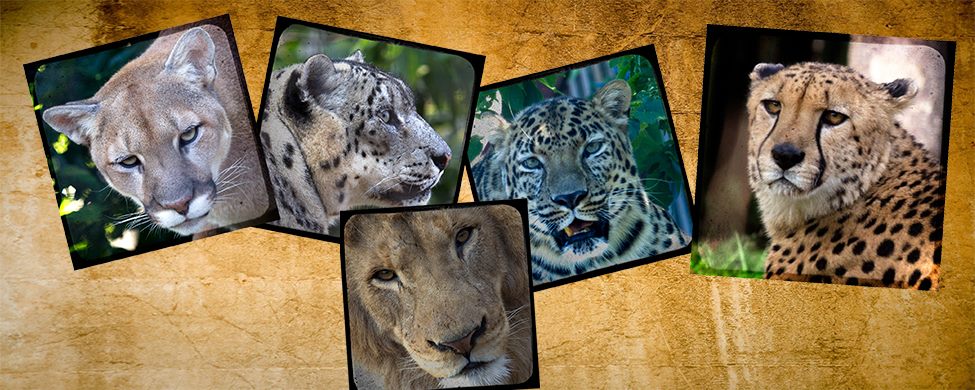 These cat photos were all taken at the St. Louis Zoo then resized and placed on a single background using Adobe’s PhotoShop, one of my favorite tools, along with one or two plug-ins. I enjoy showing the beauty of these animals along with the differences between the various species.
The next photo was taken in my backyard a few years ago. While the backyard was not the “great outdoors”, 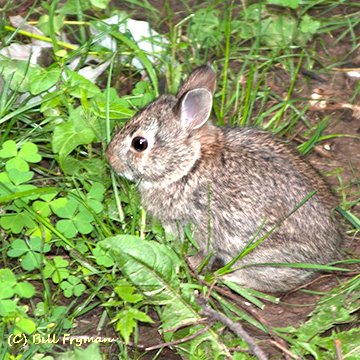 the bunny was definitely wild, and I felt privileged for it to stay long enough for me to take this photo. The year after this image was made, I used it with a top and bottom border to wish every one a “Happy Easter” online.
We are privileged to live near the confluences of the Missouri River and the Illinois River with the Mississippi River. This area is a great place to see bald eagles in the winter, but I selected this image of American White Pelicans flying in formation. 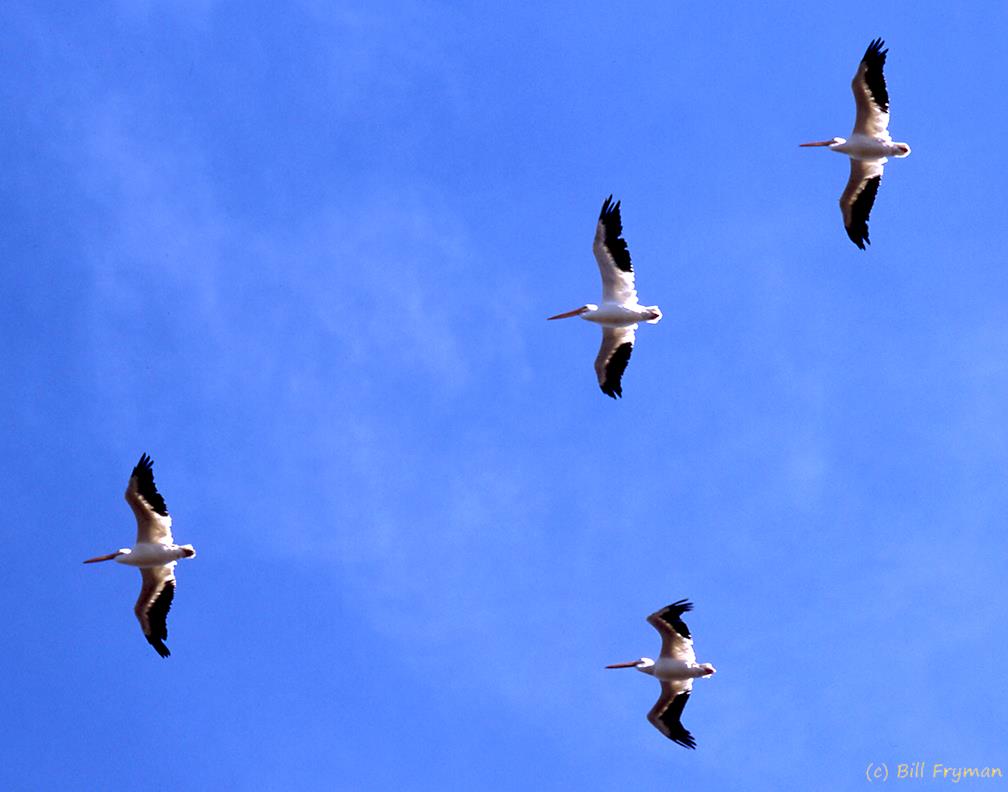 This was a winter photo and later that day I saw a hug number of both Brown and White Pelicans at rest along the Illinois River. I didn’t know that pelicans flew in v-formations, much like geese and ducks, until that day. The clear, blue sky provided a great background for this photo.
It was back to the Zoo for this image of Black Necked Swans.  If you look closely, you may see what I was trying to capture – the heart shaped image created when two swans pass closely to each other going opposite directions. While the timing of my photo was a few seconds off, it was the best of several taken in rapid succession.
The Bufflehead is a small, nesting duck. 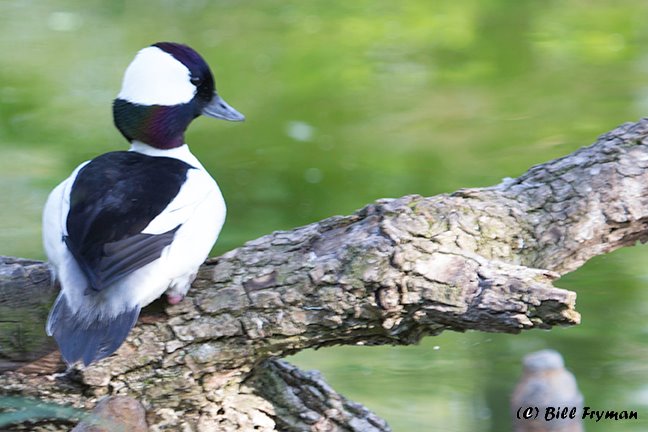 I captured this image near The National Elk Refuge in Jackson, Wyoming during a visit to Yellowstone National Park. There is a visitor’s center there where migrating waterfowl sometimes visit which allowed be to take this photo. Like the pelicans, this is a wild bird, not a bird in a cage or similar environment. It is not something we see in the Central U.S., but it is almost as beautiful as the male Wood duck.
This raccoon had taken over a log near New Orleans.  I was able to capture this image while on a swamp tour several years ago. This was before a major hurricane in the area, so I am almost positive that neither the animal nor the log survived. Even so, the almost hidden raccoon made for a nice shot.
For those who may be interested, I rarely use my phone to take photographs. These were all taken using 35 mm, Canon digital cameras of different vintages. They were taken using zoom lenses up to 400 mm in length. I seldom use flash for any of my outdoor images and try, as much as possible, to use a high shutter speed to freeze my wildlife images. Most were taken using a tripod although the pelicans and the raccoon were taken hand holding the camera. I treat landscape images differently and may share some of those images in the future.


I used the “magnify image” feature to look at them all closely. The swans are lovely. Very nice!
LikeLike
Probably a “dumb question” from a relatively new blogger but where is the magnify image feature located? I do my posts in MS Word first then copy/paste them into new posts in WordPress and was a bit disappointed when the images appeared so small in my blog.
LikeLiked by 1 person
Bill, when I right mouse click on an image in someone’s post, a standard menu comes up with open image in new tab, save image as, copy image, etc. One of the options is to magnify image. It works well.
I also do my posts in Word and copy/paste them, but I don’t keep the copy/pasted images. In the composing post stage in WordPress, put your cursor where you want your image to appear. I usually put an image on a separate line. At the end of this new line, you should see a plus mark. Click that, then click the box for “image.” You want to “upload” an image. Click the upload button. Find the image on your computer and click “open” in lower right corner. The image – in its original size – will drop onto the post page. It will likely be too big. Use your mouse to grab a corner and resize to the size you want. After you resize, use the toolbar above the picture for options. I usually just choose “align” and center my picture.
If you get to playing around with this. You will see you can drop a picture into the middle of your words and have the text flow around. Practice first with the image on one line, then use some of the options to move text around your pics.
The pictures you upload to WP will be in your media library, and you will have access to them to use in the future as well.
Hope this helps.
LikeLike
Thank you for the help. I don’t try to copy the images from the Word document (already saw that didn’t work) so I did the “inline image” but had no idea how to resize. I’ll give that a shot but may need to ask again.
Bill
On Thu, Jan 30, 2025 at 8:34 AM An Old Man’s Thoughts, Memories, & Opinions
LikeLiked by 1 person